Table of Contents
Your business isn’t slow because your team isn’t working hard enough. It’s slow because it’s constrained by manual processes that create operational drag and inhibit scale. Workflow automation for small business is not about acquiring more software; it’s a strategic imperative to offload rule-based, repetitive tasks to technology, freeing your team for high-impact work that drives revenue and innovation.
Think of it as re-architecting your operations for resilience and scalability from the inside out.
Breaking Free From Manual Process Debt
As an operator or decision-maker, you’re intimately familiar with the daily friction: client onboarding, invoice processing, manual data reconciliation, and report generation. These tasks consume high-value hours and introduce significant operational risk. This is the invisible friction creating a ceiling on your growth.
The symptoms are clear: fragmented data across disparate spreadsheets, high administrative overhead, and process bottlenecks that stall critical projects. This accumulated “operational debt” makes adaptation and scaling prohibitively difficult.
Shifting Your Operational Mindset
To break free, you must understand how business process automation can fundamentally re-engineer your operational efficiency. The objective is to move beyond the “this is how we’ve always done it” mentality and critically assess what becomes possible when intelligent systems handle routine execution.
This requires reframing automation from a cost center to a core strategic investment. The data supports this imperative. A surprising 94% of companies remain burdened by repetitive, time-consuming tasks. This is a critical vulnerability, especially when 68% of employees report being over-tasked daily.
The opportunity for smaller, more agile firms is significant. Small and mid-sized businesses demonstrate a 65% success rate with automation initiatives, outperforming larger enterprises. Their agility allows for faster implementation and iteration. You can find more workflow automation statistics and trends that highlight these points.
By automating the predictable, you create the capacity to excel at the exceptional. It’s not about replacing people; it’s about redirecting their expertise toward strategic problem-solving, customer relationships, and innovation—areas where human intelligence delivers its greatest value.
Finding Your Highest-Impact Automation Opportunities
Effective automation is not a blanket initiative to digitize every task. That approach is a fast track to burning capital and engineering hours for marginal returns.
Instead, view it as a surgical strike. The goal is to identify and eliminate sources of operational friction—the tedious, repetitive workflows that drain the most time, capital, and momentum. The primary win comes from pinpointing processes with the highest potential ROI before committing to a specific platform.
To identify these opportunities, you must move beyond intuition and conduct a diagnostic review of your current state. A process is a prime candidate for automation when it meets several key criteria.
A Diagnostic Checklist for Your Operations
Evaluate your daily and weekly tasks against this filter. Does the process:
- Occur at high frequency? Tasks performed daily or multiple times per week yield compounding returns on the initial automation investment.
- Consume significant high-value time? Target workflows where skilled team members spend more than 30 minutes per day on low-value, repetitive work.
- Introduce a high error rate? Manual data entry, transcription between systems, and re-keying customer details are prime sources of human error. Automation ensures consistency and data integrity, reducing costly mistakes.
- Directly impact the customer experience? Processes like quote generation, order processing, or support ticket routing are critical touchpoints. Accelerating these moments creates a significant competitive advantage and improves customer satisfaction.
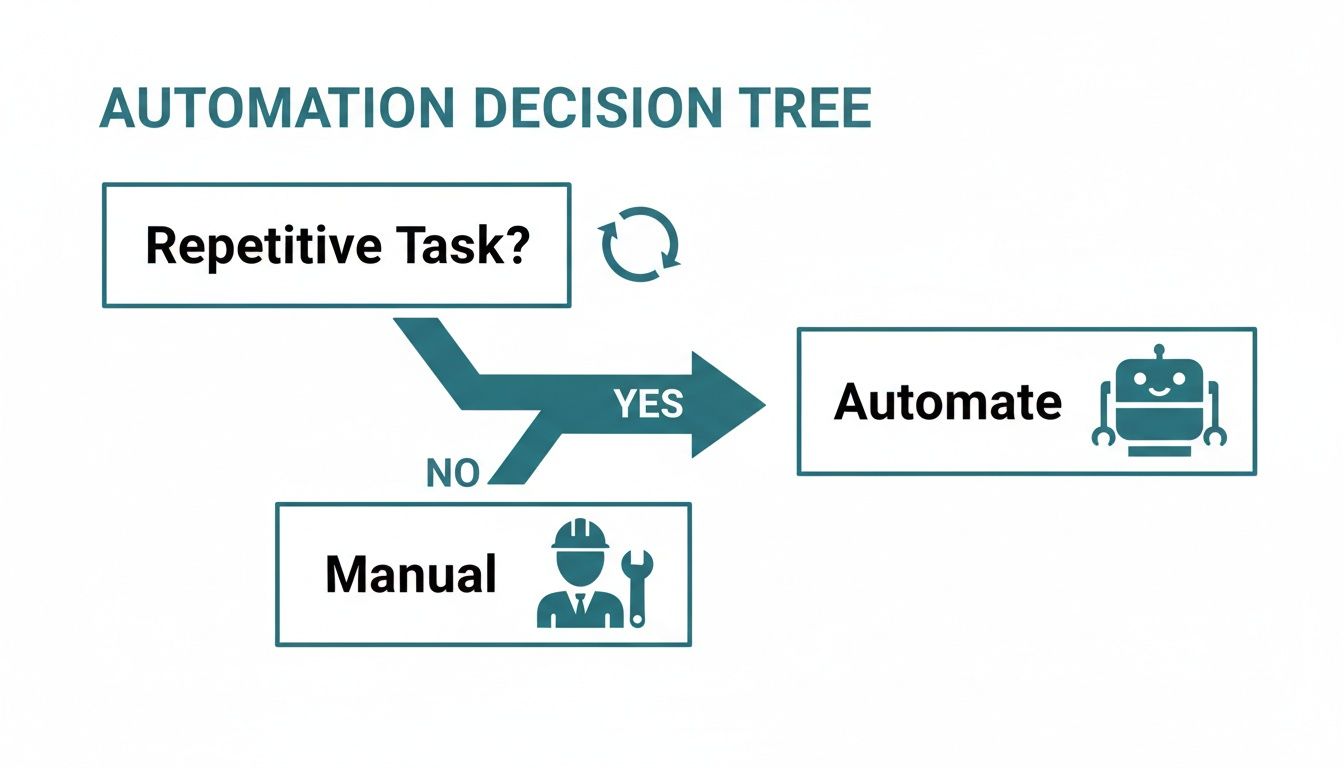
This decision tree provides a simple visualization for initial triage.
For a more granular analysis, a priority matrix can help focus efforts on the most valuable targets.
Automation Priority Matrix
This framework helps categorize potential projects by impact versus implementation difficulty.
| Priority Quadrant | Characteristics | Example Processes | Action |
|---|---|---|---|
| Quick Wins | High Impact, Low Difficulty | Automated email follow-ups, social media post scheduling, basic data entry from forms. | Implement immediately. These offer the best near-term ROI. |
| Major Projects | High Impact, High Difficulty | Integrating CRM with ERP/accounting software, custom quoting engines, inventory management. | Plan strategically. These require significant resources but deliver transformative business impact. |
| Fill-Ins | Low Impact, Low Difficulty | Internal team notifications, file organization, simple report generation. | Defer. Tackle these opportunistically when resources are available. |
| Thankless Tasks | Low Impact, High Difficulty | Automating highly complex, rarely performed, or heavily nuanced tasks. | Avoid. The effort vastly outweighs the benefit. Maintain as a manual process. |
Plotting potential projects into this matrix creates a clear, defensible implementation roadmap. Start with Quick Wins to build momentum and self-fund larger, strategic initiatives.
Real-World Scenario: Hardware Prototyping Intake
Problem → Diagnosis → Solution → Outcome
- Problem: A small hardware prototyping firm was losing bids due to slow quote delivery. The intake process for new client projects was chaotic and manual.
- Diagnosis: The root cause was an unstructured, email-based intake process. Engineers wasted hours per week manually transcribing client specifications from emails into the CRM, leading to data entry errors and delays in chasing missing information. This administrative drag directly impacted their bid-to-win ratio.
- Solution: The manual process was replaced with a structured workflow. A smart web form using a tool like Jotform was implemented for client submissions. This form used conditional logic to ensure all required specifications (e.g., materials, tolerances, file formats) were captured upfront. An integration platform connected the form directly to their HubSpot CRM, creating a new deal and populating all fields without manual intervention.
- Outcome: Quote delivery time was reduced by 30%, and intake errors were virtually eliminated. This allowed the engineering team to focus on technical validation rather than administration, directly improving proposal quality and increasing their win rate.
For businesses ready to explore further, understanding how AI automation for small business can be applied is a logical next step. For example, implementing AI-powered lead generation strategies is often an ideal starting point as it directly targets revenue generation and sales cycle compression.
Choosing and Integrating the Right Automation Tools
Selecting the correct automation tool is not about the longest feature list. For a small business, the critical evaluation criteria are integration capability and scalability. A tool that cannot communicate with your existing software stack is worse than useless—it creates new data silos and technical debt, defeating the purpose of automation.
The choice typically falls into two categories: all-in-one platforms versus specialized, API-first software.
All-in-one platforms like Zapier or Make are excellent for initial “quick win” automations. They function as universal connectors between cloud services (CRM, marketing automation, project management), enabling non-developers to build simple workflows.
However, as operational complexity grows, the limitations of these platforms may become constraints. This is where specialized, API-first tools become necessary. These applications are architected for deep integration, offering granular control over data exchange and process logic. The trade-off is often a steeper learning curve, but the result is a resilient, custom-fit technology backbone. For a deeper analysis of platform selection, see our guide to AI solutions for small business.
Key Evaluation Criteria Beyond the Feature List
A tool’s viability hinges on its technical architecture. Look past marketing claims and evaluate these non-negotiable criteria:
- API Documentation Quality: Is the documentation clear, comprehensive, and actively maintained? Poor documentation is a major red flag, indicating a low commitment to third-party integration. Look for code samples, explicit endpoint definitions, and responsive developer support channels.
- Trigger and Action Granularity: The power of an automation tool lies in its available triggers (what initiates a workflow) and actions (what the workflow executes). Are the triggers sufficiently specific? For instance, can a workflow be triggered by an update to a specific field in a CRM record, or only by a generic update to the entire record? This level of detail is critical for building robust processes.
- Authentication and Security: The platform must support modern, secure authentication methods, particularly OAuth 2.0. This protocol enables granted, revocable access to your systems’ data without exposing raw credentials or API keys. It is a fundamental security requirement for protecting business and customer data.
The real cost of a poor tool choice isn’t the monthly subscription fee; it’s the technical debt and operational friction it creates. A poorly integrated tool forces manual workarounds, generates bad data, and ultimately becomes another problem to solve rather than a solution.

Analyzing Failure Modes and Vendor Lock-In
A critical, often overlooked step is modeling failure. What is the tool’s behavior when an API connection fails or a workflow terminates mid-execution? A production-grade automation platform must provide robust error handling, detailed logging, and configurable notification systems to alert operators to problems before they impact operations or customers.
Another significant risk is vendor lock-in. This occurs when a tool’s proprietary nature and deep integration make migration to an alternative prohibitively expensive and complex.
To mitigate this risk, prioritize tools with open standards and clear data export capabilities. API-first solutions often present a lower lock-in risk because the core business logic can be more readily re-implemented on a different platform. Your objective should be a composable tech stack where each component is a strong, replaceable link, not a single point of failure.
How to Design and Test Resilient Workflows
Automating a flawed manual process doesn’t fix it; it amplifies the flaws at machine speed and scale. This is a classic failure mode. To avoid it, you must engineer a resilient workflow before implementation. This extends beyond simple “if-this-then-that” logic to encompass exception handling, graceful error recovery, and maintainability.
The foundation of robust automation is a precise process map. Before touching a tool like Zapier or Make, you must define the exact triggers, the sequence of actions, and all conditional paths.
A trigger isn’t “a new email arrives.” It is “a new email from a *@vendor.com domain arrives in the procurement-requests inbox with ‘PO Request’ in the subject line.” This level of specificity is essential to prevent erroneous triggers and ensure reliable execution.
This upfront design investment is increasingly critical. Investment is accelerating, with 57% of U.S. small businesses now allocating budget to AI and automation, a sharp increase from 36% in 2023. Managers report saving an average of 7.2 hours per week with these tools. The full findings of this SMB workplace study provide further detail on this productivity impact.
Real-World Example: Manufacturing R&D to Procurement Handoff
Consider the critical handoff from R&D to procurement in a small manufacturing context. A poorly managed process here leads to incorrect part orders, project delays, and budget overruns.
- Problem: Engineers sent informal, unstructured emails to procurement with part requests. These often contained typos in part numbers, missing supplier data, and lacked project codes.
- Diagnosis: The process lacked structure, validation, and an audit trail. Request status was untraceable, leading to confusion and duplicate orders.
- Solution: A resilient workflow was designed to address these specific failure points:
- Structured Intake: Requests are now submitted via a dedicated form in a project management tool like Asana. The form enforces mandatory fields: Project ID, Part Number, and Quantity.
- Automated Validation: Upon submission, a workflow triggers. The first action is to validate the submitted Part Number against a master parts database (e.g., a controlled spreadsheet or inventory system).
- Conditional Logic for Resilience:
- On Success (Part Number Valid): The workflow proceeds. It creates a formal purchase request in the accounting system and sends a notification to the procurement manager with all verified data.
- On Failure (Part Number Invalid): The procurement process is halted. The workflow immediately notifies the originating engineer, flagging the specific error and providing a link to the master parts list for correction.
- Outcome: This automated workflow reduced part ordering errors by over 90% and compressed the procurement cycle time by two days. Procurement now operates on trusted data, and engineers receive immediate feedback, preventing errors from propagating downstream.
Robust workflow design is an exercise in building automated checks and balances. The goal is not merely to connect App A to App B, but to create a system that can self-diagnose, self-correct, and escalate to a human only when their specific expertise is required. This is how automation transitions from a potential liability to a dependable operational asset.
Measuring Automation ROI and Driving Team Adoption
Deploying an automated workflow is only half the battle. Without quantifiable evidence of its business impact and successful user adoption, the initiative will fail.
To prove the value of workflow automation for small business, we must move beyond ambiguous metrics like “time saved” and focus on concrete KPIs that directly affect the P&L.
Quantifying the Business Impact
While “hours saved” is a useful starting point, it doesn’t capture the full scope of impact. Decision-makers require a data-driven narrative that connects automation to revenue, cost, and risk.
Key performance indicators to track include:
- Error Rate Reduction: Quantify the percentage decrease in process errors, such as incorrect order entries or data transfer failures. This metric directly translates to reduced rework costs and increased data integrity for decision-making.
- Cycle Time Compression: Measure the end-to-end duration of a process. For example, a 25% reduction in the sales cycle (from new lead to quote delivery) has a direct and significant impact on revenue velocity.
- Increased Throughput: Measure the increase in transactions or tasks processed per unit of time without additional headcount. This is a powerful indicator of operational scalability.
- Compliance Adherence: For regulated processes, track the percentage of tasks completed in full compliance with internal policies or external standards (e.g., ISO 9001). This demonstrates quantifiable risk reduction.
Navigating Change and Ensuring Adoption
Technology is often the simplest part of the equation; the human element is the most complex. Successful adoption is not about forcing a new tool upon your team. It’s about demonstrating how the change reduces friction and makes their work more valuable.
Resistance typically stems from fear of the unknown or the perception that a new system is simply additional work. Frame automation as a force multiplier—a tool that eliminates the tedious, low-value components of their role, enabling them to focus on strategic challenges. For a small manufacturer, this means showing how automated inventory alerts eliminate manual stock counts, freeing up time to negotiate better terms with suppliers. Further strategies for managing this change can be found in our guide on digital transformation solutions.
Successful adoption follows a simple principle: the new process must be demonstrably easier and more valuable than the old one. If an automated workflow introduces more friction than it removes, users will revert to manual workarounds.
Do not wait for a full-scale launch to solicit feedback. Implement a pilot program with a small group of trusted users. Their input is invaluable for refining the workflow and identifying unforeseen issues. This approach achieves two critical objectives: it de-risks the full rollout and creates internal champions who can advocate for the new process among their peers.
It’s Time to Take Action on Automation
We have moved from the “why” to the “how.” The purpose of this guide is to provide a pragmatic framework for implementing workflow automation for small business, translating abstract efficiency goals into tangible operational outcomes. The next step is to initiate a pilot project that proves the value proposition within your own context.
Avoid a large-scale, disruptive overhaul. Effective automation begins with a single, high-impact process. A successful pilot builds momentum, delivers a clear ROI, and equips your team with the confidence to tackle more complex challenges.
Your First Implementation Checklist
Use this checklist to guide your first automation project from strategy to execution, minimizing risk and maximizing the probability of success.
Identify One High-Pain, High-Frequency Process: Do not attempt to boil the ocean. Select a single workflow that is repetitive, error-prone, and consumes significant time. The hardware prototyping intake process is a perfect example—a clear bottleneck with a direct P&L impact.
Map the “As-Is” Workflow: Before designing the future state, you must thoroughly document the current state. Map every step, handoff, and decision point in the manual process. This map will reveal the precise locations of inefficiency and failure points.
Define Success with Quantifiable Metrics: Establish clear, numerical targets from the outset. Will success be a 20% reduction in process cycle time? A 50% reduction in data entry errors? These metrics provide the objective basis for evaluating the project’s impact.
Select Tools Based on Integration, Not Features: Prioritize platforms that integrate seamlessly with your existing systems of record (e.g., CRM, accounting software). Strong API support and modern security protocols like OAuth 2.0 are non-negotiable. The objective is to break down silos, not create new ones.
Design and Test for Failure: Assume that things will go wrong—APIs will become unavailable, data will be malformed. A resilient workflow anticipates these failure modes. Build in robust error handling and notification logic from the beginning.
Launch a Pilot with a Small Team: Roll out the initial workflow to a select group of end-users. Their feedback is critical for identifying usability issues and process gaps before a company-wide deployment. This also cultivates early adopters who will become advocates for the new system.
Ready to build a strategic automation roadmap for your business? The team at Sheridan Technologies offers practical workflow assessments to help you identify and implement your highest-impact opportunities. Schedule a consultation with Sheridan Technologies to get started.