Choosing between Bluetooth and Wi-Fi is a foundational architectural decision that goes far beyond a simple spec sheet comparison. For engineering leaders and program managers, getting this choice wrong introduces significant project risk, leading to common failure modes like catastrophic battery life, unreliable connectivity in real-world conditions, or data bottlenecks that cripple product performance. The core problem is not just picking a technology, but aligning its fundamental design purpose—cable replacement versus network access—with your product's non-negotiable requirements and business goals. This guide is for technical decision-makers who need to make a defensible choice that holds up from prototype through high-volume manufacturing. It does not apply to hobbyist projects where time-to-market and reliability are not primary drivers.
This guide will help you:
- Frame the decision based on critical engineering trade-offs: power, throughput, range, and latency.
- Apply these trade-offs to a realistic operating scenario with concrete constraints.
- Identify and mitigate common implementation risks before they derail your program.
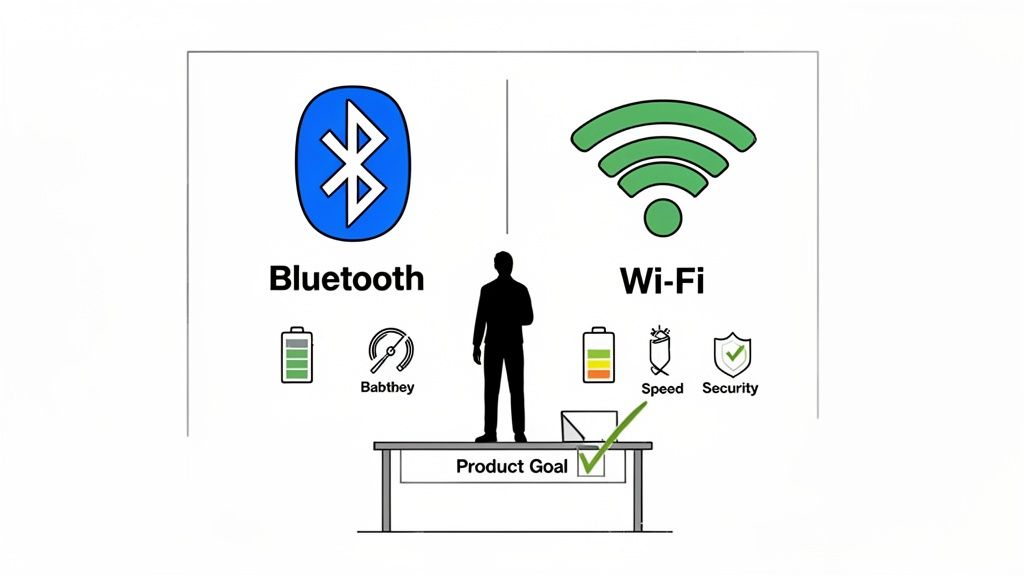
Bluetooth vs. Wi-Fi: A High-Level Decision Framework
For anyone leading a technical team, picking between Bluetooth and Wi-Fi isn't just a spec sheet comparison; it's a foundational architectural choice. Get it wrong, and you're staring down some classic product failures: devices with embarrassingly short battery life, connections that drop constantly in crowded spaces, or systems that choke on their own data. The right decision hinges on a clear understanding of the business impact. For example, the choice impacts not just the BOM cost but also time-to-market, driven by verification complexity and certification hurdles. A quick-reference summary of the core differences is the first step in any architecture review.
This table cuts through the marketing noise and provides the high-level distinctions needed for an initial architectural assessment.
| Attribute | Bluetooth (Classic & LE) | Wi-Fi (802.11ax/ac/n) | Business Impact |
|---|---|---|---|
| Primary Use Case | Cable replacement, peripheral connectivity, low-power sensor data | Wireless local area networking (WLAN), internet access | Aligns product with user expectation and core value proposition. |
| Typical Range | 10–100 meters (Class 1-3) | 50–250 meters, depending on environment | Defines the operational envelope and suitability for the intended use environment. |
| Data Throughput | 1-3 Mbps (Classic), ~2 Mbps (BLE 5.x) | 100s of Mbps to multiple Gbps | Directly impacts features like video streaming vs. simple data telemetry. |
| Power Consumption | Very Low (μA in sleep mode for BLE) | Moderate to High (mA to Amps) | The single biggest driver for battery life and device form factor. |
| Network Topology | Piconet (star), Scatternet, Mesh | Star (Infrastructure Mode), Ad-Hoc | Influences system scalability and complexity of network management. |
| Connection Setup | Fast and simple pairing | Slower association and authentication process | Affects user experience during onboarding and initial setup. |
| Ideal Application | Wearables, medical sensors, audio headsets, asset tracking | Laptops, smart home devices, video streaming, industrial cameras | Wrong choice leads to a product that is non-competitive or fails in the field. |
Ultimately, this isn't about which technology is superior overall, but which one is superior for your specific application, budget, and timeline. Getting this decision right at the architecture stage prevents costly re-spins and downstream schedule slips.
Protocol Stacks and Core Purpose: Why They Were Built Differently
To make a truly informed decision between Bluetooth and Wi-Fi, you must look past marketing claims and understand their design DNA. These two protocols were engineered to solve fundamentally different problems, a truth embedded in every layer of their respective protocol stacks. This is the most critical distinction for a system architect.
Wi-Fi, standardized under IEEE 802.11, was designed to be wireless Ethernet. Its core purpose is creating high-throughput Local Area Networks (LANs) that connect multiple devices to a network and, by extension, the internet. This network-centric design necessitates a more complex protocol stack capable of managing network access for many clients, handling roaming between access points, and natively speaking TCP/IP.
Bluetooth, based on the IEEE 802.15.1 standard, had a simpler goal: eliminate cables. Its mission is to create low-power Personal Area Networks (PANs) for direct device-to-device communication. This focus on simplicity and extreme power efficiency results in a leaner, more specialized protocol stack optimized for localized data exchange, not internet-wide networking.
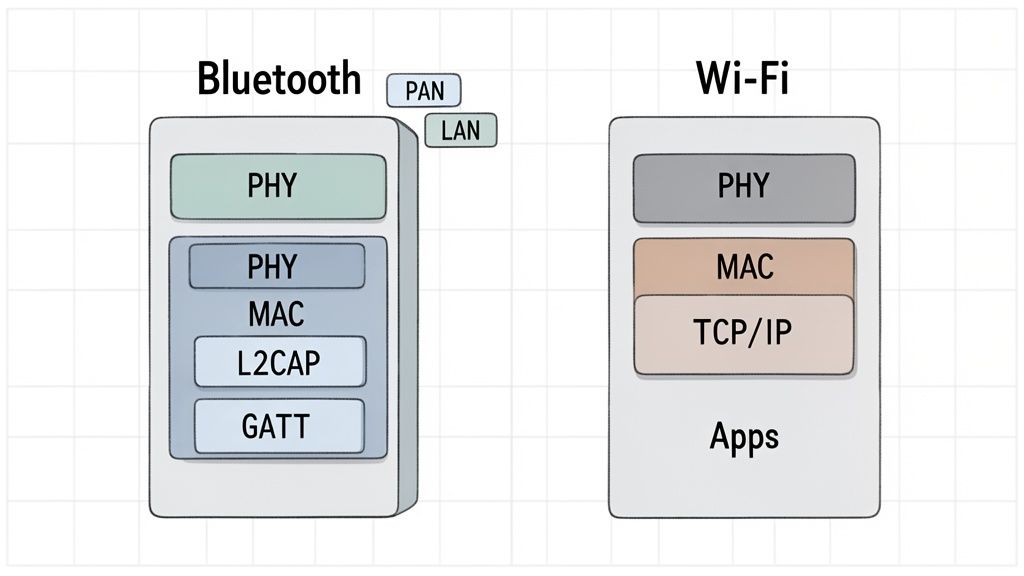
The Wi-Fi Protocol Stack: A Gateway to the Internet
The Wi-Fi stack is engineered as a seamless on-ramp to an IP-based network. Its Physical (PHY) and Media Access Control (MAC) layers are concerned with turning data into radio waves and managing access to the shared wireless medium. The key, however, is that Wi-Fi integrates directly with the TCP/IP suite, the set of protocols that power the internet. This is what allows a device to obtain an IP address via DHCP and communicate globally. This tight integration with standards like Internet Protocol Version 6 (IPv6) makes Wi-Fi the default choice for any product requiring a high-bandwidth connection to the internet, such as laptops, smart TVs, or industrial cameras streaming continuous video.
The Bluetooth Protocol Stack: Optimized for Local Efficiency
The Bluetooth stack is a self-contained system optimized for point-to-point or small-group communication. While it has its own PHY and MAC layers, its upper layers diverge significantly from Wi-Fi. The Logical Link Control and Adaptation Protocol (L2CAP) acts as a multiplexer, funneling data from various applications over a single wireless link. Above L2CAP sit various profiles and services (e.g., GATT for BLE) that define how devices interact for specific tasks like audio streaming or sensor data exchange.
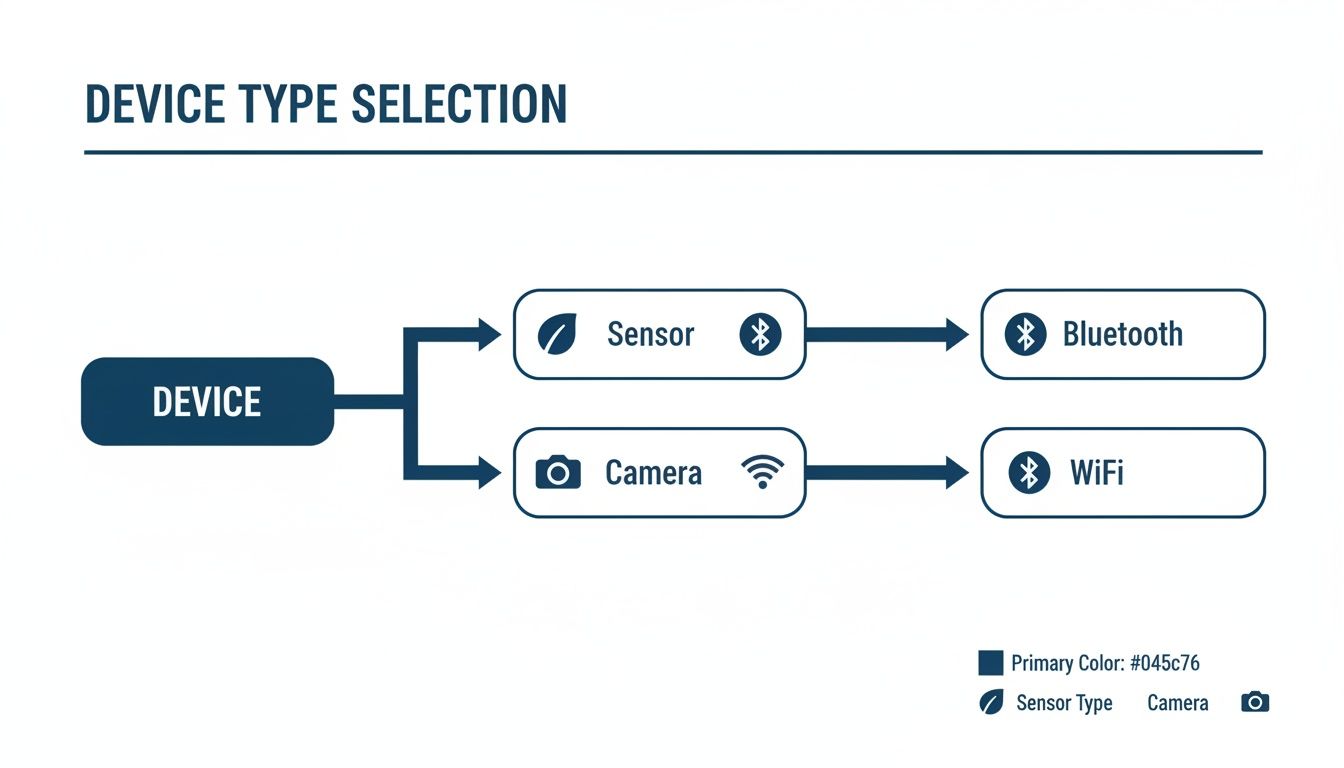
For a product developer, this is the key takeaway: Wi-Fi's stack is built for network access and IP traffic, making it a bridge to the internet. Bluetooth's stack is a self-contained system for device-to-device dialogue, making it a direct line for data exchange. This is why a medical sensor reports data to a local gateway via Bluetooth, but the gateway uses Wi-Fi to send that data to the cloud. This architectural pattern is common in Internet of Things software development where local efficiency must be balanced with cloud connectivity.
Decision Criteria: Throughput, Range, Power, and Latency
Choosing a wireless technology comes down to four critical performance metrics that represent fundamental engineering trade-offs: throughput, range, power consumption, and latency. These are not just numbers on a datasheet; they are hard constraints that define what your product can do, how users will experience it, and whether it succeeds in the real world. Getting this choice wrong is a classic cause of project failure.
Throughput: How Much Data Can You Move?
Throughput is the most direct comparison. Wi-Fi was designed for speed, serving as a wireless replacement for high-bandwidth Ethernet.
- Wi-Fi: Modern standards like Wi-Fi 6 (802.11ax) can achieve theoretical maximums of 9.6 Gbps. In practice, hundreds of Mbps are readily achievable, making Wi-Fi the only viable choice for data-intensive applications like streaming HD video from a security camera or transferring large diagnostic files from industrial equipment. A prime example can be seen in the market for the best WiFi trail camera solutions, where high resolution imagery demands high throughput.
- Bluetooth: Prioritizes efficiency over raw speed. Bluetooth Classic offers a modest ~1-3 Mbps, sufficient for audio streaming. Bluetooth Low Energy (BLE) provides a practical data rate of ~1-2 Mbps, ideal for short, intermittent bursts of sensor data from a fitness tracker or environmental monitor.
Range: How Far Can the Signal Reliably Travel?
Range defines the physical operating envelope of your device.
- Wi-Fi: Designed for Local Area Networks (LANs), a typical access point provides reliable coverage of 50 to 100 meters indoors. Specialized long-range standards like Wi-Fi HaLow (802.11ah) can extend this to a kilometer or more, suiting large-scale IoT deployments like smart agriculture.
- Bluetooth: Operates in a much smaller Personal Area Network (PAN). Most consumer (Class 2) devices are designed for a reliable range of about 10 meters. While industrial (Class 1) modules can reach up to 100 meters, Bluetooth’s core strength remains in close-quarters communication.
Power Consumption: The Deciding Factor for Battery-Powered Devices
For any untethered product, power consumption is often the most critical constraint. This is where the two technologies diverge most dramatically.
- Bluetooth Low Energy (BLE): Engineered for extreme power efficiency. BLE allows devices to operate for months or even years on a single coin-cell battery by using aggressive sleep modes that consume mere microamps (µA) of current. It wakes for milliseconds to transmit data and immediately returns to sleep. This makes BLE the only realistic option for products like wearable medical monitors, asset tracking tags, or battery-operated smart home sensors.
- Wi-Fi: Is inherently power-hungry. A Wi-Fi radio consumes significant power (milliamps to amps) simply to maintain an association with an access point, even when idle. This high overhead limits its use to devices that are mains-powered or have large, rechargeable batteries, such as laptops, smart speakers, or industrial robots.
Market data underscores this specialization. A 2023 report from Data Insights Market Research highlights that while Wi-Fi holds a dominant share of the overall wireless connectivity market, Bluetooth's growth is concentrated in low-power IoT applications. See this in-depth market report on IoT WiFi and Bluetooth modules for detailed projections.
Latency: How Quickly Does Data Arrive?
Latency, the delay between transmission and reception, is critical for real-time control systems.
- Bluetooth Low Energy (BLE): Can offer very low latency, with connection intervals configurable down to a few milliseconds (e.g., 7.5 ms). This responsiveness is ideal for applications like game controllers or industrial remote controls where lag is unacceptable.
- Wi-Fi: Generally exhibits higher and more variable latency, typically in the 20-100 ms range, fluctuating with network congestion. While newer standards like Wi-Fi 6 include features to reduce latency, BLE often retains an advantage for time-sensitive, point-to-point applications that do not require high throughput.
Recommendation Based on Operating Scenario
Datasheets are theoretical; real-world constraints force a decision. The best architectural choice becomes clear when framed against specific operational needs, team capabilities, and business pressures. Let's analyze a common scenario to illustrate the decision-making process.
Scenario: The Wearable Medical Monitor
The Problem: A medical device startup is developing a wearable patient monitor. The device must continuously track vital signs (e.g., ECG, SpO2) and transmit them to a paired smartphone.
The Constraints:
- Product Stage: Moving from a verified EVT prototype to a DVT build.
- Timeline Pressure: A hard 6-month deadline for the DVT-to-PVT transition to meet regulatory submission targets.
- Team Size: A small, specialized embedded team of 4 engineers.
- Critical Requirement: The device must be small, lightweight, and operate for a minimum of 7 days on a single charge.
- Reliability Stakes: High. Lost data packets could miss a critical cardiac event.
Decision & Criteria:
For this application, Bluetooth Low Energy (BLE) is the only viable choice. The decision is driven almost entirely by the non-negotiable 7-day battery life requirement.
- Power Consumption (Primary Criterion): The multi-day operational life on a small battery immediately disqualifies Wi-Fi. BLE’s ability to operate with microamp-level sleep currents is the enabling technology for this product class. Wi-Fi’s power draw, even in its most optimized power-save modes, would deplete the battery in hours.
- Data Throughput (Secondary Criterion): The device transmits small, intermittent packets of vital sign data. BLE’s throughput of up to 2 Mbps is more than sufficient for this low-bandwidth application. Using Wi-Fi would be an unnecessary and power-intensive over-provisioning of bandwidth.
- Form Factor (Tertiary Criterion): The simplicity and lower component count of a BLE-only solution contribute to a smaller PCB footprint, enabling the required lightweight, wearable design.
Recommendation & Outcome:
The recommendation is to proceed with a pre-certified BLE module from a reputable supplier with a strong track record in medical applications. This choice directly addresses the primary constraint (power) and simplifies the system architecture, which is a critical risk-reduction strategy for a small team on a tight schedule. A simpler firmware stack reduces verification and validation (V&V) time, increasing the probability of meeting the DVT exit criteria and the regulatory submission deadline. The outcome is a product that is technically feasible and commercially viable. For applications where range is the primary driver over power, other protocols become relevant, as discussed in our analysis of the LoRaWAN communication protocol.
Implementation Risks and Mitigation Strategies (Failure Modes)
Selecting a protocol is only the first step. The transition from a lab prototype to a reliable, mass-produced device is where most projects encounter critical failures. A "design for reality" mindset is essential to anticipate and mitigate common implementation risks for both Bluetooth and Wi-Fi. Overlooking these nuances often leads to costly rework during DVT or, worse, field failures after launch.
Bluetooth Implementation Risks & Early Warning Signs
The primary challenges in a Bluetooth implementation revolve around connection management, power consumption, and security.
- Failure Mode: Unreliable Pairing and Reconnection.
- Early Warning Sign: During testing, devices frequently fail to pair on the first attempt, or previously paired devices require manual re-pairing after a disconnect.
- Root Cause: Often stems from improper handling of bonding information or an overly aggressive, non-standard connection timing parameter.
- Mitigation: Implement a robust state machine in firmware to manage connection states meticulously. Adhere strictly to the Bluetooth SIG's recommended practices for pairing and bonding. For any product handling sensitive data, mandate LE Secure Connections and avoid the insecure "Just Works" pairing method.
- Failure Mode: Actual Battery Life is <50% of Projections.
- Early Warning Sign: Power consumption measurements on prototype hardware are significantly higher than the datasheet's "sleep current" values.
- Root Cause: Misconfigured connection intervals, slave latency, or supervision timeouts. Peripherals left powered on during sleep states are another common culprit.
- Mitigation: Perform rigorous power profiling early in the development cycle. Fine-tune BLE connection parameters as a trade-off between latency and power. This is not a "set it and forget it" task; it requires empirical testing across all operating modes.
Wi-Fi Implementation Risks & Early Warning Signs
With Wi-Fi, the major risks shift from the radio link itself to network integration, security, and the user experience of onboarding.
- Failure Mode: High Friction in Network Onboarding.
- Early Warning Sign: Test users struggle or fail to get a "headless" (no screen) device connected to their Wi-Fi network. The support team receives a high volume of calls related to initial setup.
- Root Cause: Relying on outdated or non-secure methods like WPS, or a poorly designed custom provisioning app.
- Mitigation: For headless devices, implement a modern, secure provisioning method like using BLE to temporarily configure the Wi-Fi credentials. This provides a vastly superior and more secure user experience.
- Failure Mode: RF Coexistence Issues in Combo Devices.
- Early Warning Sign: Throughput for both Wi-Fi and Bluetooth plummets when both are active simultaneously (e.g., streaming music over Bluetooth while downloading a file over Wi-Fi).
- Root Cause: Bluetooth and most Wi-Fi networks operate in the same crowded 2.4 GHz band. Without proper coordination, their transmissions interfere with each other.
- Mitigation: This requires a system-level solution. Use a pre-certified combo module with a robust Packet Traffic Arbitration (PTA) interface. Pay meticulous attention to antenna design and placement to maximize physical isolation between the two radios.
Successfully navigating these implementation risks is what separates a reliable, market-ready product from a perpetual engineering headache.
Next Steps: A Checklist for Your Wireless Design Review
The choice between Bluetooth and Wi-Fi is an engineering trade-off, not a simple A/B decision. The correct path depends entirely on your product's specific constraints and business objectives. Use this checklist in your next architecture review to drive clarity and force a decision based on quantified, ranked requirements. This discipline is essential for preventing scope creep and ensuring the technology serves the product's core purpose.
1. Define and Rank Your Core Requirements
Your team must define and rank the following priorities. You cannot optimize for everything simultaneously.
- Power Consumption: What is the absolute maximum power budget in active, idle, and sleep states (in mA or µA)? Is multi-year battery life a non-negotiable requirement?
- Data Throughput: What is the required sustained data rate (not peak) in kbps or Mbps?
- Operational Range: What is the minimum reliable communication distance required in the intended operating environment (e.g., "15 meters through two interior walls")?
- Security Posture: What is the specific threat model? Are you defending against casual eavesdropping (point-to-point encryption) or unauthorized network access (WPA3)?
- Bill of Materials (BOM) Cost: What is the target cost for the wireless subsystem (module, antenna, etc.)?
2. Vet Your Wireless Module and Supplier
Once you have ranked requirements, scrutinize potential hardware solutions.
- Certification: Is the module pre-certified for your target markets (FCC, CE, IC)? Pre-certification is a major de-risking factor, saving significant time and budget.
- Software Support: Are stable drivers and documentation available for your host MCU/MPU and RTOS?
- Long-Term Availability (LTA): Does the supplier offer an LTA guarantee? For industrial or medical products, a 10-year LTA is often a requirement to avoid costly redesigns.
- Coexistence (for Combo Chips): Does the module feature a robust Packet Traffic Arbitration (PTA) interface to manage simultaneous Bluetooth and Wi-Fi operation?
The question "what is the difference between bluetooth and wifi" is ultimately answered by the market. Market trends confirm Wi-Fi's dominance in high-bandwidth networking, with the total wireless connectivity market projected to reach $419.31 billion by 2035. In contrast, Bluetooth's growth, expected to reach $25.87 billion by 2030, is driven by power-efficient peripherals. Explore these wireless market projections to ensure your choice aligns with long-term industry direction.
If your team is facing a complex wireless design challenge, an architecture review is the most effective way to validate your technical foundation and mitigate risks early.
If your team is facing a complex wireless design challenge, a review from Sheridan Technologies can ensure your project is built on a solid technical foundation. Schedule an architecture consult with our experts today.
Visit us at https://sheridantech.io.